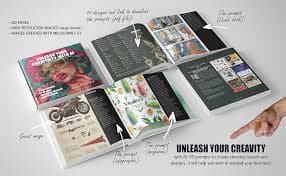

Midjourney
PaidHigh-quality AI image generation
Design
Creates strong visuals for concepts, posters, thumbnails, and brand assets with great aesthetic output.
Best for: Designer
Use-case page
Explore the best AI tools for Design. Compare options by workflow fit, output quality, and pricing.
Updated 2026 • Showing 9 tools
Quick answers
Showing 9
High-quality AI image generation
Creates strong visuals for concepts, posters, thumbnails, and brand assets with great aesthetic output.
Best for: Designer
Image generation for ideas and assets
Generate images for product mockups, social visuals, and creative concepts quickly.
Best for: Designer
Image generation with strong text rendering
Great for posters, thumbnails, and designs where readable text inside images matters.
Best for: Designer
Design suite with AI features
Templates + AI tools for social graphics, presentations, and quick brand assets.
Best for: Marketer
Collaborative design and prototyping
UI/UX design with collaboration. Great for teams designing product interfaces and prototypes.
Best for: Designer
Fast video editing + captions
Quick editing, templates, and automatic captions for short-form content.
Best for: Creator

Online video editor with AI features
Create and edit videos online with captions, trimming, and quick workflows.
Best for: Creator
Realistic AI voice generation
Create voiceovers for videos, ads, podcasts, and narration with natural sound.
Best for: Creator


One-click background removal
Remove image backgrounds instantly for product shots, thumbnails, and design assets.
Best for: Designer
Keep exploring with “best AI tools for…†guides.
Best AI tools for design
Design tools for brand assets, UI concepts, and fast creative iteration. 'Design' spans product UI, marketing graphics, and visuals — the best tool depends which of those you mean.
Best AI tools for image generation
Create images, thumbnails, product shots, and design assets quickly. The right tool depends on whether you want cinematic quality, brand consistency, or tight text-in-image control.
Best AI tools for presentations
Create slides faster: outlines, slide copy, visuals, speaker notes, and redesigning decks. The right tool depends on whether you need a full deck in 30 seconds or just help with the copy inside an existing design.