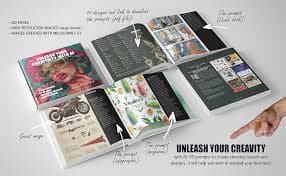
Midjourney
PaidHigh-quality AI image generation
Design
Creates strong visuals for concepts, posters, thumbnails, and brand assets with great aesthetic output.
Best for: Designer
Guide
Design tools for brand assets, UI concepts, and fast creative iteration. 'Design' spans product UI, marketing graphics, and visuals — the best tool depends which of those you mean.
By Maali K · Software Engineer & AI Tools Reviewer
Last reviewed February 1, 2026 · How we review
Showing 9 tools
Our pick
Collaborative design and prototyping
Figma isn't an AI tool, but with its growing AI features and the plugin ecosystem, it's still the single most productive place to design. For any UI or product design work, this is where the AI actually helps.
Some links may earn us a commission at no extra cost to you. Disclosure.
Strong alternates that beat the top pick in specific cases.
For marketing and social design, Canva's AI features are more mature than Figma's. Templates + Magic Design + Text-to-Image inside the same canvas is a better fit than Figma for non-designers.
Not a design tool, but irreplaceable for generating original visual assets that you bring into Figma or Canva. The moodboard, hero image, and texture layer of almost every modern design.
Start here if you're just exploring — free is always better.
Canva's free tier is genuinely usable for non-professional design work. For freelancers and small-business owners, it's often all you need.
You design product UI and want AI-assisted layout, components, and variations.
You create marketing or social design and want templates + generative assets in one place.
You prototype ideas visually and want to go from concept to mockup in under an hour.
You're a career illustrator or brand designer — AI is a tool in your kit, not a replacement for craft.
Your design work is print-heavy (packaging, books) — AI design tools are weak on print specifications.
A quick checklist for choosing the right tools.
Product vs. marketing: Figma for product, Canva for marketing. They're not direct competitors despite the overlap.
Collaboration: multi-player design is now table stakes. Both Figma and Canva handle it well; local tools don't.
Plugin ecosystem: Figma's is huge; it's where most of the useful AI lives. Factor this into the decision.
Generative assets: pair your design tool with a generative one (Midjourney, DALL·E) rather than expecting one tool to do both.
Export: for developer handoff (Figma) or multi-platform export (Canva), verify the tool supports your downstream workflow.
Common questions about this use-case.
A quick feature-by-feature look at the top picks.
| Feature | Figma | Canva | Midjourney |
|---|---|---|---|
| Best for | Product & UI design | Marketing design | Generative assets |
| Pricing | Freemium | Freemium | Paid |
| Collaboration | Excellent | Good | Limited |
| AI features | Good + strong plugins | Excellent | Excellent |
| Learning curve | Medium | Very low | Medium |
Click any tool card to see details and a direct website link.
High-quality AI image generation
Creates strong visuals for concepts, posters, thumbnails, and brand assets with great aesthetic output.
Best for: Designer
Image generation for ideas and assets
Generate images for product mockups, social visuals, and creative concepts quickly.
Best for: Designer

Image generation with strong text rendering
Great for posters, thumbnails, and designs where readable text inside images matters.
Best for: Designer
Design suite with AI features
Templates + AI tools for social graphics, presentations, and quick brand assets.
Best for: Marketer
Collaborative design and prototyping
UI/UX design with collaboration. Great for teams designing product interfaces and prototypes.
Best for: Designer

Fast video editing + captions
Quick editing, templates, and automatic captions for short-form content.
Best for: Creator

Online video editor with AI features
Create and edit videos online with captions, trimming, and quick workflows.
Best for: Creator
Realistic AI voice generation
Create voiceovers for videos, ads, podcasts, and narration with natural sound.
Best for: Creator

One-click background removal
Remove image backgrounds instantly for product shots, thumbnails, and design assets.
Best for: Designer