AI Tool
Midjourney
High-quality AI image generation
By Maali K · Software Engineer & AI Tools Reviewer
Last reviewed January 29, 2026 · How we review
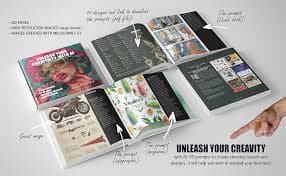
Creates strong visuals for concepts, posters, thumbnails, and brand assets with great aesthetic output.
Our verdict
Midjourney
Midjourney still produces the most visually striking images of any general-purpose model. For anything where the image needs to feel crafted rather than generated — covers, key art, hero images — it's the default. Prompt accuracy is weaker than DALL·E, but the aesthetic ceiling is higher.
Best for
Quick ways people use Midjourney to get value.
High-quality image generation for creative concepts
Brand visuals, posters, thumbnails, moodboards
Style exploration and iteration
Marketing creatives and visual direction
Who should use Midjourney
You create visuals for content and want consistently striking output.
You do concept art, moodboarding, or design exploration and care about visual quality.
You're willing to learn prompt craft to get the best results.
Who should skip
You need precise compositional control — DALL·E follows specific prompts more literally.
You need text inside images — Ideogram is dramatically better at this.
Best for roles
- Designer
- Marketer
- Founder
- Creator
Use-cases
- Design
- Brainstorming
How people use it
Real workflows you can copy.
Thumbnail/poster workflow
- 1
Write prompt: subject + emotion + style + lighting.
- 2
Generate multiple variations and pick best composition.
- 3
Iterate: background, palette, space for text.
- 4
Upscale/export; add text in a design tool.
Example prompts
Copy/paste to try immediately.
Cinematic YouTube thumbnail background for [topic], high contrast, space for text, studio lighting
Brand moodboard for [brand], minimal modern, warm palette, product-focused
Same subject in 6 styles: editorial, 3D, watercolor, cyberpunk, minimal, cinematic
Pros
- Top-tier image quality
- Great style control
Cons
- Learning curve for prompting
Midjourney vs. alternatives
Quick look at how Midjourney compares to the top alternatives.
Midjourney vs. the alternatives
Detailed head-to-head breakdowns, each with pricing, strengths and a recommendation.
Frequently asked questions
Common questions about Midjourney.
Is Midjourney free?+
Can I use Midjourney images commercially?+
Is Midjourney better than DALL·E?+
Related pages
Explore more pages connected to Midjourney.
Jobs