
Descript
FreemiumVideo editing by editing text
ProductivityDesign
Edit videos like documents. Great for podcasts, captions, clips, and quick content workflows.
Best for: Creator
Guide
Tools for clipping, captions, hooks, scripts, and quick editing workflows. Shorts are won or lost in the first second — the right tool helps you test more of them, faster.
By Maali K · Software Engineer & AI Tools Reviewer
Last reviewed February 1, 2026 · How we review
Showing 27 tools
Showing closest matches
Our pick
Fast video editing + captions
CapCut is the default for good reason: vertical editing, auto-captions, trending effects, and a mobile-first workflow that matches how Shorts actually get made. The free tier covers almost everything a creator needs.
Some links may earn us a commission at no extra cost to you. Disclosure.
Strong alternates that beat the top pick in specific cases.
Descript's text-based editing is genuinely faster for dialog-heavy Shorts. Edit the transcript, the video edits itself. It's a different mental model that saves real time once you adopt it.
For Shorts that need any generative effects or motion work, Runway's AI video tools are what everyone else is trying to copy. Premium quality, premium price.
Browser-based, collaborative, and strong on captions and subtitle styling. Good pick if your workflow is desktop-first rather than mobile.
Start here if you're just exploring — free is always better.
CapCut's free tier covers 95% of what Shorts need: editing, captions, effects, exports. Paying gets you premium templates and faster export — not essential for most creators.
You're posting Shorts 3+ times a week and need a repeatable workflow.
You repurpose long-form YouTube into Shorts and need fast clipping tools.
You want trendy effects without hiring a motion designer.
You post Shorts casually — built-in platform tools (YouTube's own editor) may be enough.
You need broadcast-quality work — Shorts tools are optimized for speed, not cinematic output.
A quick checklist for choosing the right tools.
Vertical-first: the tool should be built for 9:16, not an afterthought. You'll feel it within 5 minutes.
Caption quality: auto-captions are the biggest time-saver. Test accuracy on your own voice before committing.
Hook testing: the best workflow generates 3–5 opening seconds from the same content. Tools that support this win.
Export speed: if you upload daily, export time matters. Mobile tools are usually faster than browser ones.
Template library: templates are training wheels, not a destination. Pick a tool that lets you outgrow them.
Common questions about this use-case.
A quick feature-by-feature look at the top picks.
Click any tool card to see details and a direct website link.
Video editing by editing text
Edit videos like documents. Great for podcasts, captions, clips, and quick content workflows.
Best for: Creator

Fast video editing + captions
Quick editing, templates, and automatic captions for short-form content.
Best for: Creator

Strong writing and long-context assistant
Excellent for drafting, editing, long documents, and careful reasoning. Often preferred for tone and clarity in writing.
Best for: Writer
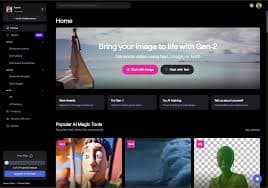

AI video editing and generation
Popular for video generation and editing workflows. Useful for creators and marketing teams.
Best for: Creator


Online video editor with AI features
Create and edit videos online with captions, trimming, and quick workflows.
Best for: Creator

Realistic AI voice generation
Create voiceovers for videos, ads, podcasts, and narration with natural sound.
Best for: Creator

Writing assistant for clarity and tone
Helps polish writing with grammar, tone, and rewrite suggestions.
Best for: Writer

AI inside Notion for docs, wikis, and notes
Best if your team already uses Notion. Helps summarize notes, draft docs, and organize knowledge.
Best for: Founder

Design suite with AI features
Templates + AI tools for social graphics, presentations, and quick brand assets.
Best for: Marketer


SEO + marketing suite
SEO research, competitive intelligence, and content planning tools in one platform.
Best for: Marketer


Async video messaging for teams
Record quick videos for updates, demos, and explanations to reduce meetings.
Best for: Founder


General-purpose AI assistant for writing, analysis, and productivity
Great for drafting, summarizing, brainstorming, coding help, and structured outputs. Strong all-rounder for most workflows.
Best for: Student


Google-backed assistant for everyday work and research
Good for general help, brainstorming, and workflows connected to the Google ecosystem.
Best for: Student


Answer engine with citations for fast research
Great for quick research, summaries, and link-heavy exploration. Useful when you need sources fast.
Best for: Student
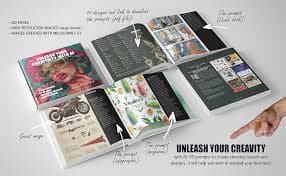

High-quality AI image generation
Creates strong visuals for concepts, posters, thumbnails, and brand assets with great aesthetic output.
Best for: Designer
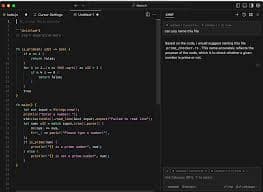
AI-first code editor
A coding-focused editor with AI assistance for refactors, understanding codebases, and faster iteration.
Best for: Engineer


Image generation for ideas and assets
Generate images for product mockups, social visuals, and creative concepts quickly.
Best for: Designer


Image generation with strong text rendering
Great for posters, thumbnails, and designs where readable text inside images matters.
Best for: Designer
Collaborative design and prototyping
UI/UX design with collaboration. Great for teams designing product interfaces and prototypes.
Best for: Designer

AI for marketing copy and campaigns
Marketing-focused writing with templates for ads, landing pages, and brand voice workflows.
Best for: Marketer

SEO content optimization
Helps optimize content for SEO with recommendations and structure guidance.
Best for: Marketer
SEO research suite
Keyword research, backlink analysis, and SEO tracking for content strategy.
Best for: Marketer

Open-source workflow automation
Self-hosted automation for teams that want control and customization.
Best for: Engineer


Meeting transcription and summaries
Transcribe meetings and generate notes + action items for faster follow-up.
Best for: Founder

Scheduling automation
Automate scheduling and reduce back-and-forth for meetings.
Best for: Sales

AI notebook for your sources
Upload sources and get summaries, explanations, and Q&A grounded in your docs.
Best for: Student


One-click background removal
Remove image backgrounds instantly for product shots, thumbnails, and design assets.
Best for: Designer