

Claude
FreemiumStrong writing and long-context assistant
WritingResearchProductivity
Excellent for drafting, editing, long documents, and careful reasoning. Often preferred for tone and clarity in writing.
Best for: Writer
Guide
Use AI for formulas, analysis, summaries, and cleaning spreadsheet data. The best AI tool for a spreadsheet problem is usually not a spreadsheet add-on — it's a model that can actually run code on your file.
By Maali K · Software Engineer & AI Tools Reviewer
Last reviewed February 1, 2026 · How we review
Showing 26 tools
Showing closest matches
Our pick
General-purpose AI assistant for writing, analysis, and productivity
ChatGPT with file uploads (paid tier) is the best spreadsheet AI available. Upload a CSV, describe what you want, and it runs actual Python to compute it — not just suggest formulas. For anything beyond basic VLOOKUP help, this is the tool.
Some links may earn us a commission at no extra cost to you. Disclosure.
Strong alternates that beat the top pick in specific cases.
Better than ChatGPT for explaining complex formulas or refactoring a messy spreadsheet. The reasoning is cleaner; it walks you through what each part does rather than just giving the final answer.
If you live in Google Sheets, Gemini's native side-panel integration beats switching to a chat tool. Formula help and simple analysis without leaving the sheet.
Start here if you're just exploring — free is always better.
Free ChatGPT handles formula generation and basic spreadsheet questions at no cost. File uploads and real data analysis are paid-tier only — but that's worth the $20/mo for anyone doing serious spreadsheet work.
You write complex formulas (INDEX/MATCH, array formulas, power queries) and want to stop debugging them manually.
You do ad-hoc data analysis and want answers, not tutorials on how to get them.
You inherit messy spreadsheets regularly and need to clean them fast.
Your data is highly sensitive — don't upload client/customer data to third-party AI without clearance.
You use Excel's advanced features (macros, VBA, Power BI) — general AI is weaker than Microsoft's own Copilot in those specific areas.
A quick checklist for choosing the right tools.
File upload matters: formula help is nice; actual analysis on your real data is where the leverage is.
Native integration vs. chat: in-sheet AI (Gemini in Sheets) is faster but less powerful. Chat tools with uploads are slower but do more.
Explanation quality: you want AI that teaches the formula, not just gives it. Otherwise you'll ask again next week.
Data privacy: confirm file uploads aren't used for training on free tiers. Often they are.
Error handling: AI sometimes confidently writes wrong formulas. Test output against known cases before relying on it.
Common questions about this use-case.
A quick feature-by-feature look at the top picks.
Click any tool card to see details and a direct website link.
Strong writing and long-context assistant
Excellent for drafting, editing, long documents, and careful reasoning. Often preferred for tone and clarity in writing.
Best for: Writer

AI inside Notion for docs, wikis, and notes
Best if your team already uses Notion. Helps summarize notes, draft docs, and organize knowledge.
Best for: Founder


Design suite with AI features
Templates + AI tools for social graphics, presentations, and quick brand assets.
Best for: Marketer


SEO + marketing suite
SEO research, competitive intelligence, and content planning tools in one platform.
Best for: Marketer

General-purpose AI assistant for writing, analysis, and productivity
Great for drafting, summarizing, brainstorming, coding help, and structured outputs. Strong all-rounder for most workflows.
Best for: Student


Google-backed assistant for everyday work and research
Good for general help, brainstorming, and workflows connected to the Google ecosystem.
Best for: Student


Answer engine with citations for fast research
Great for quick research, summaries, and link-heavy exploration. Useful when you need sources fast.
Best for: Student
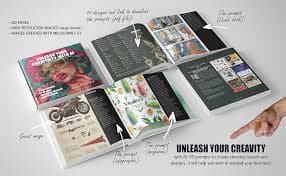

High-quality AI image generation
Creates strong visuals for concepts, posters, thumbnails, and brand assets with great aesthetic output.
Best for: Designer


AI video editing and generation
Popular for video generation and editing workflows. Useful for creators and marketing teams.
Best for: Creator

AI-first code editor
A coding-focused editor with AI assistance for refactors, understanding codebases, and faster iteration.
Best for: Engineer


Image generation for ideas and assets
Generate images for product mockups, social visuals, and creative concepts quickly.
Best for: Designer


Image generation with strong text rendering
Great for posters, thumbnails, and designs where readable text inside images matters.
Best for: Designer
Collaborative design and prototyping
UI/UX design with collaboration. Great for teams designing product interfaces and prototypes.
Best for: Designer

Writing assistant for clarity and tone
Helps polish writing with grammar, tone, and rewrite suggestions.
Best for: Writer


AI for marketing copy and campaigns
Marketing-focused writing with templates for ads, landing pages, and brand voice workflows.
Best for: Marketer

SEO content optimization
Helps optimize content for SEO with recommendations and structure guidance.
Best for: Marketer


SEO research suite
Keyword research, backlink analysis, and SEO tracking for content strategy.
Best for: Marketer

Open-source workflow automation
Self-hosted automation for teams that want control and customization.
Best for: Engineer


Video editing by editing text
Edit videos like documents. Great for podcasts, captions, clips, and quick content workflows.
Best for: Creator


Fast video editing + captions
Quick editing, templates, and automatic captions for short-form content.
Best for: Creator


Async video messaging for teams
Record quick videos for updates, demos, and explanations to reduce meetings.
Best for: Founder


Meeting transcription and summaries
Transcribe meetings and generate notes + action items for faster follow-up.
Best for: Founder


Scheduling automation
Automate scheduling and reduce back-and-forth for meetings.
Best for: Sales

AI notebook for your sources
Upload sources and get summaries, explanations, and Q&A grounded in your docs.
Best for: Student

Realistic AI voice generation
Create voiceovers for videos, ads, podcasts, and narration with natural sound.
Best for: Creator


One-click background removal
Remove image backgrounds instantly for product shots, thumbnails, and design assets.
Best for: Designer