Notion AI
PaidAI inside Notion for docs, wikis, and notes
ProductivityWriting
Best if your team already uses Notion. Helps summarize notes, draft docs, and organize knowledge.
Best for: Founder
Guide
Generate tailored cover letters that match the role and company without sounding generic. The hardest part of cover letters is the personalization — that's where AI earns its keep.
By Maali K · Software Engineer & AI Tools Reviewer
Last reviewed February 1, 2026 · How we review
Showing 26 tools
Showing closest matches
Our pick
Strong writing and long-context assistant
Claude writes the least formulaic cover letters of any AI I've tested. The voice reads like a real person, not a Mad Libs template, and it's significantly better at picking out which details from your background actually fit the role.
Some links may earn us a commission at no extra cost to you. Disclosure.
Strong alternates that beat the top pick in specific cases.
Great for speed and iteration. Paste the JD, your resume, and ask for three different angles. Pick the best one, edit, send.
Only worth it if you're producing cover letters at volume — career services, coaching, recruitment. Brand voice and templates save real time in that workflow.
Use it as the final filter. Cover letters fail on small mistakes more than on strategy — one typo and the impression's gone.
Start here if you're just exploring — free is always better.
Free ChatGPT handles cover letter drafts just fine. There's no practical reason to pay for cover-letter-only use.
You're applying to 5+ roles that require cover letters.
You struggle to connect your experience to a role's requirements — AI is great at surfacing links you missed.
You've rewritten the same paragraph three times and it still feels stiff.
You're applying to one specific dream role — write it yourself. Stakes are too high for generic phrasing.
The employer explicitly requests no AI-generated material (some academic and government roles do).
A quick checklist for choosing the right tools.
Specificity: if the draft reads like it could apply to any job at any company, it's not useful. Push for real details.
Voice match: feed the tool an example of how you write. Otherwise it defaults to a generic 'business writing' voice.
One page: if the tool keeps generating two pages, cap it in the prompt. Hiring managers won't read more.
Opening line: the first sentence decides whether they keep reading. Iterate on that specifically.
Honesty check: don't let AI claim achievements you don't have. Use it to phrase real things better.
Common questions about this use-case.
A quick feature-by-feature look at the top picks.
Click any tool card to see details and a direct website link.
AI inside Notion for docs, wikis, and notes
Best if your team already uses Notion. Helps summarize notes, draft docs, and organize knowledge.
Best for: Founder
Design suite with AI features
Templates + AI tools for social graphics, presentations, and quick brand assets.
Best for: Marketer
SEO + marketing suite
SEO research, competitive intelligence, and content planning tools in one platform.
Best for: Marketer
General-purpose AI assistant for writing, analysis, and productivity
Great for drafting, summarizing, brainstorming, coding help, and structured outputs. Strong all-rounder for most workflows.
Best for: Student
Strong writing and long-context assistant
Excellent for drafting, editing, long documents, and careful reasoning. Often preferred for tone and clarity in writing.
Best for: Writer

Google-backed assistant for everyday work and research
Good for general help, brainstorming, and workflows connected to the Google ecosystem.
Best for: Student


Answer engine with citations for fast research
Great for quick research, summaries, and link-heavy exploration. Useful when you need sources fast.
Best for: Student
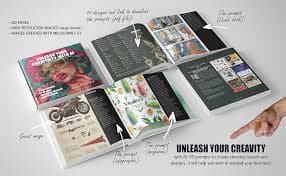
High-quality AI image generation
Creates strong visuals for concepts, posters, thumbnails, and brand assets with great aesthetic output.
Best for: Designer
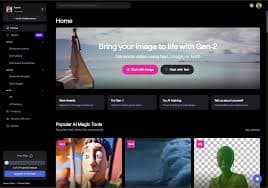
AI video editing and generation
Popular for video generation and editing workflows. Useful for creators and marketing teams.
Best for: Creator
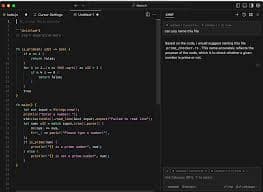
AI-first code editor
A coding-focused editor with AI assistance for refactors, understanding codebases, and faster iteration.
Best for: Engineer
Image generation for ideas and assets
Generate images for product mockups, social visuals, and creative concepts quickly.
Best for: Designer

Image generation with strong text rendering
Great for posters, thumbnails, and designs where readable text inside images matters.
Best for: Designer
Collaborative design and prototyping
UI/UX design with collaboration. Great for teams designing product interfaces and prototypes.
Best for: Designer

Writing assistant for clarity and tone
Helps polish writing with grammar, tone, and rewrite suggestions.
Best for: Writer

AI for marketing copy and campaigns
Marketing-focused writing with templates for ads, landing pages, and brand voice workflows.
Best for: Marketer

SEO content optimization
Helps optimize content for SEO with recommendations and structure guidance.
Best for: Marketer
SEO research suite
Keyword research, backlink analysis, and SEO tracking for content strategy.
Best for: Marketer

Open-source workflow automation
Self-hosted automation for teams that want control and customization.
Best for: Engineer
Video editing by editing text
Edit videos like documents. Great for podcasts, captions, clips, and quick content workflows.
Best for: Creator
Fast video editing + captions
Quick editing, templates, and automatic captions for short-form content.
Best for: Creator

Async video messaging for teams
Record quick videos for updates, demos, and explanations to reduce meetings.
Best for: Founder
Meeting transcription and summaries
Transcribe meetings and generate notes + action items for faster follow-up.
Best for: Founder

Scheduling automation
Automate scheduling and reduce back-and-forth for meetings.
Best for: Sales
AI notebook for your sources
Upload sources and get summaries, explanations, and Q&A grounded in your docs.
Best for: Student
Realistic AI voice generation
Create voiceovers for videos, ads, podcasts, and narration with natural sound.
Best for: Creator


One-click background removal
Remove image backgrounds instantly for product shots, thumbnails, and design assets.
Best for: Designer