
GitHub Copilot
PaidAI code completion in your editor
CodingProductivity
Autocomplete, suggestions, and faster coding directly inside IDEs.
Best for: Engineer
Guide
AI copilots for writing code, debugging, explaining errors, generating tests, and refactoring. The best choice depends on whether you want inline completions in your editor, a full AI-first IDE, or a chat model you paste into.
By Maali K · Software Engineer & AI Tools Reviewer
Last reviewed February 1, 2026 · How we review
Showing 29 tools
Showing closest matches
Our pick
AI-first code editor
Cursor is the first AI coding tool that meaningfully changed how I write software. The agent-style edits, codebase-wide context, and ability to run multi-file refactors in natural language are genuinely faster than doing it by hand — and it lets you choose between Claude, GPT-4, and other models per task.
Some links may earn us a commission at no extra cost to you. Disclosure.
Strong alternates that beat the top pick in specific cases.
Still the best pure autocomplete. If you want AI that disappears into your editor and just completes the next line, Copilot remains the cleanest integration in VS Code and JetBrains.
For planning work and debugging weird issues, Claude's reasoning is usually one step ahead of the alternatives. Paste an error, paste the context, get a real answer.
The strongest free option by a wide margin. Unlimited individual use, broad IDE support, and completion quality that's close enough to Copilot that most engineers won't notice the gap.
Start here if you're just exploring — free is always better.
Codeium's free tier for individual developers is genuinely unlimited. If Copilot's $10/mo feels unnecessary and you're OK with 95% of the quality, this is the obvious pick.
You're writing code daily and inline completions would meaningfully speed up your flow.
You work across multiple files and want AI that understands the whole codebase, not just the current file.
You debug frequently and want a second opinion on stack traces, race conditions, or config issues.
You work on security-sensitive code that can't be sent to third-party model providers — stick to local tools like Ollama.
You're learning to code and rely on completions — you'll build bad habits. Finish one real project without AI first.
A quick checklist for choosing the right tools.
Editor integration first: if it's awkward to invoke, you won't use it. Test the tool in your actual editor.
Multi-file context: any tool that only sees the current file is a toy in 2026. Demand project-wide understanding.
Model choice: the best tools let you pick Claude for reasoning, GPT for general tasks, and a smaller model for autocomplete.
Debugging quality: paste a real error you've hit. If the answer is generic, move on.
Test generation: tools that write tests alongside code earn their keep faster than tools that just generate code.
Privacy: check whether code is used for training. Most business tiers opt out; free tiers usually don't.
Common questions about this use-case.
A quick feature-by-feature look at the top picks.
| Feature | Cursor | GitHub Copilot | Claude | Codeium |
|---|---|---|---|---|
| Best for | AI-first IDE | Inline autocomplete | Debugging & planning | Free autocomplete |
| Pricing | Freemium | Paid | Freemium | Free / Paid |
| Multi-file context | Excellent | Good | N/A (chat) | Good |
| Model choice | Claude + GPT + others | Limited | Claude only | Limited |
| Learning curve | Medium | Very low | Very low | Very low |
Click any tool card to see details and a direct website link.
AI code completion in your editor
Autocomplete, suggestions, and faster coding directly inside IDEs.
Best for: Engineer
General-purpose AI assistant for writing, analysis, and productivity
Great for drafting, summarizing, brainstorming, coding help, and structured outputs. Strong all-rounder for most workflows.
Best for: Student
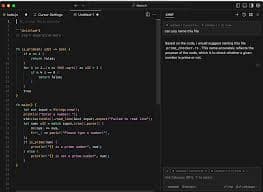

AI-first code editor
A coding-focused editor with AI assistance for refactors, understanding codebases, and faster iteration.
Best for: Engineer
Free-ish AI code assistant
Autocomplete and coding assistance with broad editor support.
Best for: Engineer

Open-source workflow automation
Self-hosted automation for teams that want control and customization.
Best for: Engineer


AI inside Notion for docs, wikis, and notes
Best if your team already uses Notion. Helps summarize notes, draft docs, and organize knowledge.
Best for: Founder


Google-backed assistant for everyday work and research
Good for general help, brainstorming, and workflows connected to the Google ecosystem.
Best for: Student

Design suite with AI features
Templates + AI tools for social graphics, presentations, and quick brand assets.
Best for: Marketer

Writing assistant for clarity and tone
Helps polish writing with grammar, tone, and rewrite suggestions.
Best for: Writer

SEO content optimization
Helps optimize content for SEO with recommendations and structure guidance.
Best for: Marketer

SEO + marketing suite
SEO research, competitive intelligence, and content planning tools in one platform.
Best for: Marketer

Strong writing and long-context assistant
Excellent for drafting, editing, long documents, and careful reasoning. Often preferred for tone and clarity in writing.
Best for: Writer


Answer engine with citations for fast research
Great for quick research, summaries, and link-heavy exploration. Useful when you need sources fast.
Best for: Student
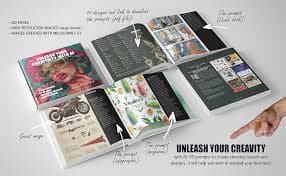

High-quality AI image generation
Creates strong visuals for concepts, posters, thumbnails, and brand assets with great aesthetic output.
Best for: Designer


AI video editing and generation
Popular for video generation and editing workflows. Useful for creators and marketing teams.
Best for: Creator
Image generation for ideas and assets
Generate images for product mockups, social visuals, and creative concepts quickly.
Best for: Designer

Image generation with strong text rendering
Great for posters, thumbnails, and designs where readable text inside images matters.
Best for: Designer
Collaborative design and prototyping
UI/UX design with collaboration. Great for teams designing product interfaces and prototypes.
Best for: Designer

AI for marketing copy and campaigns
Marketing-focused writing with templates for ads, landing pages, and brand voice workflows.
Best for: Marketer
Copywriting and GTM content assistant
Helps generate marketing copy, sales content, and campaign ideas quickly.
Best for: Marketer
SEO research suite
Keyword research, backlink analysis, and SEO tracking for content strategy.
Best for: Marketer

Video editing by editing text
Edit videos like documents. Great for podcasts, captions, clips, and quick content workflows.
Best for: Creator

Fast video editing + captions
Quick editing, templates, and automatic captions for short-form content.
Best for: Creator


Async video messaging for teams
Record quick videos for updates, demos, and explanations to reduce meetings.
Best for: Founder
Meeting transcription and summaries
Transcribe meetings and generate notes + action items for faster follow-up.
Best for: Founder

Scheduling automation
Automate scheduling and reduce back-and-forth for meetings.
Best for: Sales

AI notebook for your sources
Upload sources and get summaries, explanations, and Q&A grounded in your docs.
Best for: Student
Realistic AI voice generation
Create voiceovers for videos, ads, podcasts, and narration with natural sound.
Best for: Creator


One-click background removal
Remove image backgrounds instantly for product shots, thumbnails, and design assets.
Best for: Designer